
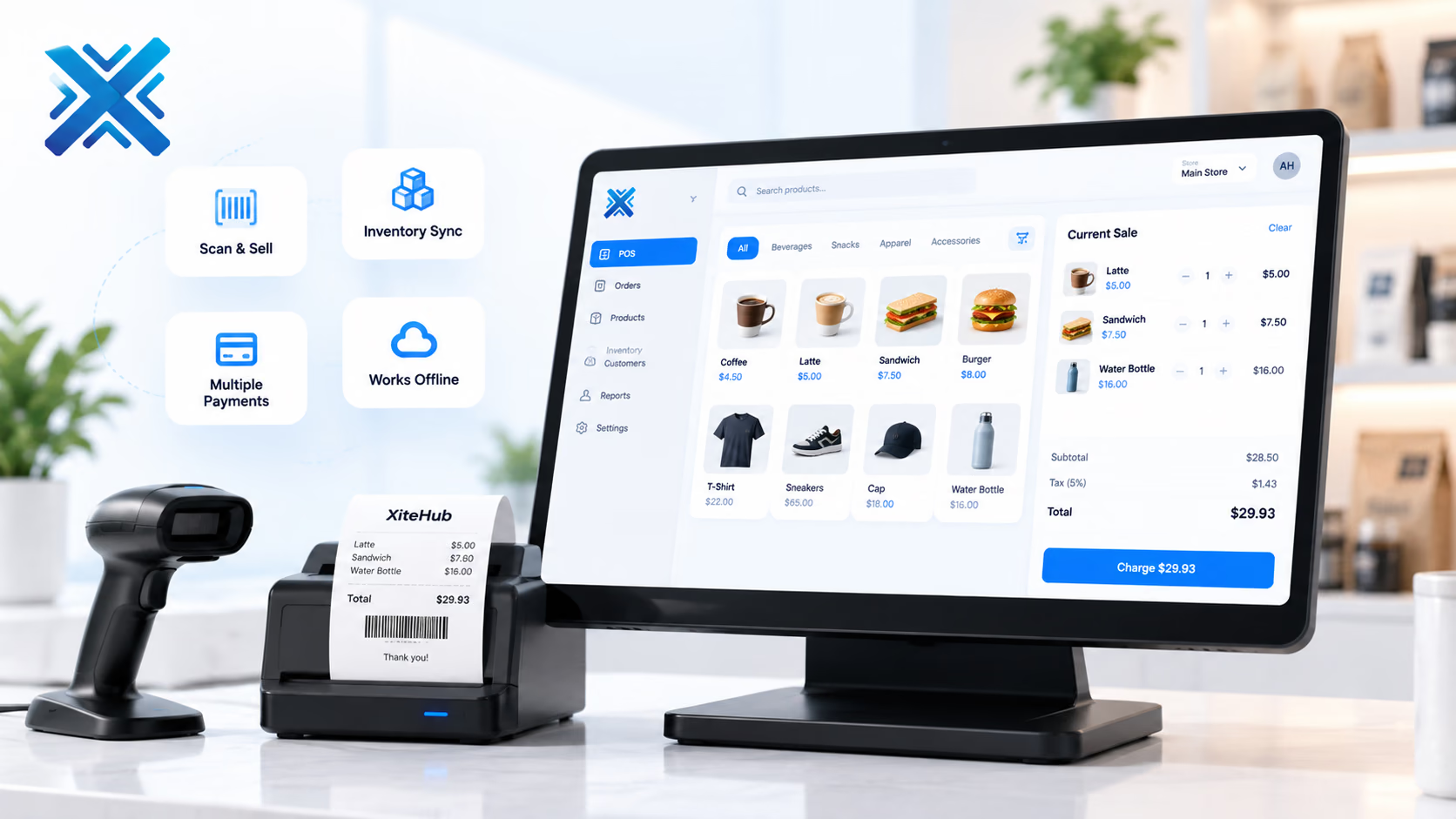
POS Software
Checkout, receipts, and stock for a counter, a floor, or several stores that must stay in sync after closing time.
Business Systems
The platform
Retail, hospitality, and multi-store operators who need a till that still works when the internet drops.
The register is the product. Cashiers need speed, clear tenders, and a receipt the customer recognizes. Managers need shifts, voids, and a close that matches the drawer. Head office needs one catalog and live stock, not a file per store. XiteHub designs POS so a sale writes the same SKU the warehouse already uses. Hospitality modifiers, retail sizes, and gift or loyalty rules are configured, not bolted on as a third app. Cloud or on-premise, the stores you name go live in a sequence, not all on one Friday.
Book a walkthroughThe gap
What is usually broken
A generic till does not know your modifiers, your store credit, or how you split stock between a warehouse and the floor. End-of-day is a USB export. Head office sees yesterday, not the last hour.
Approach
How we fit it
XiteHub builds POS around the counter first: scan, pay, receipt, then the back office. Offline sale queues sync when the line returns. Multi-store groups share an item master and see each location’s on-hand without a nightly email. We have shipped commerce and retail work including storefronts and catalogs, and we treat the till as part of that same stock picture, not a separate gadget.
Capabilities
What ships in the first release
- 01
Fast checkout with barcodes, search, and the tenders you actually take
- 02
Offline mode that queues sales and syncs when the connection returns
- 03
Receipts, returns, voids, and manager overrides with a reason
- 04
Shared item master across stores with per-location price or tax where needed
- 05
Shift open and close, cash drawer counts, and a day-end pack
- 06
Stock deduction on the same SKUs inventory or ERP already holds
Modules
How the platform is cut
We go live on the slice you need first. The rest follows when the operators are ready.
01
Register
Cart, discounts, tenders, and receipts. Built for a touch screen or a keyboard, depending on the counter.
02
Shifts and cash
Open drawer, counted close, and variance. Only a manager role can void after a threshold.
03
Catalog
Items, variants, modifiers, and taxes. One master, with store-level exceptions you approve.
04
Stores
Locations, devices, and which warehouse each till draws from. Transfers show as stock, not a chat message.
05
Day-end
Sales by tender, item, and cashier. Export or post into accounts if finance wants a journal.
Why it lands
What changes for the team
- 01
A dropped line does not stop the floor from taking a card or cash later
- 02
Head office sees store stock without calling the manager
- 03
Returns and voids leave a trail, so shrinkage is not a mystery
- 04
New stores inherit the catalog instead of a copied till setup
- 05
Hospitality modifiers and retail variants live in one product file
- 06
The till and the warehouse agree on what sold today
Rollout
How we implement it
Workshops first, then a live slice, then the rest of the modules. Operators sign off before we cut over.
01
Counter walk-through
Stand at the till. Time a sale, a return, and a power cut. That becomes the spec.
02
Catalog and taxes
Clean the item file and tax rules before the first device is provisioned.
03
Register build
Ship checkout and receipts first. Back office reports follow once the floor trusts the till.
04
Pilot store
One location runs live for a set window. We fix speed and edge tenders before the next store.
05
Rollout
Clone the catalog, train cashiers, and cut stores in a sequence that operations can staff.
06
Day-end habit
Managers close on the new pack. The old USB export is retired, not left as a backup forever.
Fit
Where this platform belongs
- 01
A boutique or footwear brand with a floor plus an online catalog that must share stock
- 02
A cafe or restaurant with modifiers, covers, and a kitchen ticket
- 03
A chain that grew to several stores and still closes each till into email
- 04
A warehouse-fed retail floor that needs transfers, not a second inventory product
Connects
Systems this sits beside
- Card and wallet gateways you already use
- Barcode scanners and receipt printers
- Inventory or ERP for on-hand and costing
- E-commerce catalog for shared SKUs
- Accounting for daily sales journals
Stack
What we usually ship it on
- React
- Node.js
- PostgreSQL
- SQLite (offline queue)
- REST APIs
- WebSockets
- Docker
- AWS
Hosting
Where it can live
- 01
Cloud hosted
Managed on AWS, Azure, or GCP when you want updates handled for you.
- 02
On-premise
Private install in your rooms when control or compliance requires it.
- 03
Hybrid
Mix cloud and on-premise across teams or sites when one model is not enough.
FAQ
Questions, answered
Scope, ownership, and how we cut over POS Software without a weekend freeze.
Continue
More in Business Systems
- 01
ERP Software
One ledger for finance, purchasing, inventory, and operations so each department is not running its own spreadsheet.
- 02
CRM Software
Pipeline, follow-up, and customer history in one place so sales is not living in WhatsApp and a shared sheet.
- 03
HRMS Software
Hiring, attendance, leave, and payroll inputs in one employee record so HR is not chasing three tools and a folder.
- 04
Inventory Management System
Live stock, warehouses, and reorder points so purchasing is not guessing from last week’s count.

Need a walkthrough of POS Software?
Book a free consultation with our solutions architects. We'll map requirements and share a clear roadmap within 48 hours.