
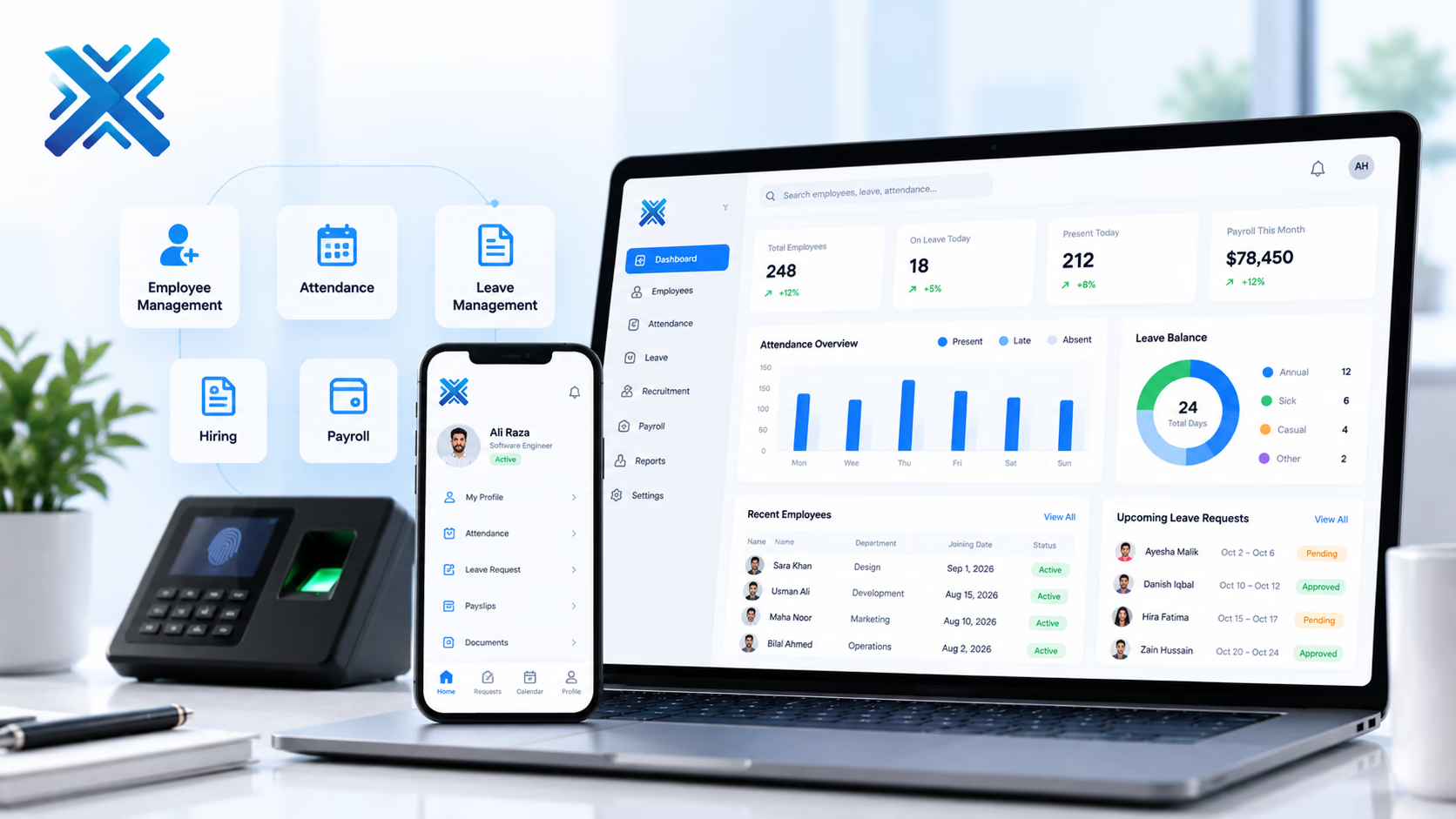
HRMS Software
Hiring, attendance, leave, and payroll inputs in one employee record so HR is not chasing three tools and a folder.
Business Systems
The platform
HR and finance teams in growing companies that still run attendance, leave, and salary worksheets side by side.
HR software only helps if the people who run payroll trust it on the 25th. XiteHub designs HRMS so onboarding, attendance, leave, and the salary worksheet share one employee ID. Managers approve time and leave on the record. Employees see balances without asking HR. When you add a location or a shift pattern, the rules live in the system, not in a person’s head. Documents and letters can generate from templates you approve. The platform can sit next to an ERP for salary journals, or next to a specialist payroll bureau.
Book a walkthroughThe gap
What is usually broken
Offers sit in email. Attendance is a biometric export. Leave is a WhatsApp message. Payroll is rebuilt every month from those pieces, and the employee cannot see their own balance.
Approach
How we fit it
XiteHub builds HRMS around the employee file first: identity, contract, and the calendar that drives pay. Attendance devices, leave rules, and the fields payroll needs are wired into that file. Self-service covers the requests staff already send by chat. We do not claim a global payroll engine for every country. We configure the rules and statutory fields you name, then hand a clean pack to finance or your payroll vendor.
Capabilities
What ships in the first release
- 01
Employee master with contracts, documents, and reporting lines
- 02
Attendance from devices or web check-in, with shift and late rules you set
- 03
Leave types, balances, and manager approval on the same calendar
- 04
Applicant tracking for requisitions, CVs, and offer letters
- 05
Payroll input pack: earnings, deductions, and attendance hours finance can trust
- 06
Employee self-service for profile, leave, and payslip or letter downloads
Modules
How the platform is cut
We go live on the slice you need first. The rest follows when the operators are ready.
01
Employee file
Identity, job, compensation fields, and documents. Access follows role, not a shared drive.
02
Time and attendance
Shifts, rosters, and device or app punches. Exceptions need a reason before they hit payroll.
03
Leave
Policies by type and location. Approvals and balances update the same calendar attendance uses.
04
Hiring
Requisitions, pipeline, and offers that create the employee file when someone joins.
05
Payroll inputs
A period pack for finance or your bureau. Journals can post to ERP if that is how you book salaries.
Why it lands
What changes for the team
- 01
Payroll week starts from a file HR and finance already agree on
- 02
Leave balances are visible, so HR is not the calculator
- 03
A new joiner gets access and a record without a scavenger hunt
- 04
Managers approve time without a shared inbox
- 05
Audit of who changed a salary or a roster sits on the employee
- 06
Staff stop asking for the same letter every quarter
Rollout
How we implement it
Workshops first, then a live slice, then the rest of the modules. Operators sign off before we cut over.
01
Policies on paper
Write leave, overtime, and probation rules as they are applied today, including the exceptions.
02
Employee and org map
Clean the master list, departments, and who approves whom before import.
03
Core file
Ship the employee record, documents, and self-service profile first.
04
Time and leave
Connect devices or check-in, then run one full pay period in parallel with the old sheet.
05
Payroll dry run
Finance compares the new pack to the last closed month. We fix gaps before the live period.
06
Go-live
Retire the attendance export and the leave chat. HR owns the admin roles.
Fit
Where this platform belongs
- 01
A company whose biometric machine still emails a CSV to payroll
- 02
A multi-site team with different shift and leave rules per location
- 03
A growing headcount that still stores contracts in personal drives
- 04
An ops group that wants managers to approve time without copying HR
Connects
Systems this sits beside
- Biometric or RFID attendance devices
- Email for offers and letters
- ERP or accounting for salary journals
- Banks or payment files, if you pay from the same stack
- SSO or directory, when IT already runs one
Stack
What we usually ship it on
- Laravel
- PostgreSQL
- React
- Next.js
- Redis
- REST APIs
- Docker
- AWS
Hosting
Where it can live
- 01
Cloud hosted
Managed on AWS, Azure, or GCP when you want updates handled for you.
- 02
On-premise
Private install in your rooms when control or compliance requires it.
- 03
Hybrid
Mix cloud and on-premise across teams or sites when one model is not enough.
FAQ
Questions, answered
Scope, ownership, and how we cut over HRMS Software without a weekend freeze.
Continue
More in Business Systems
- 01
ERP Software
One ledger for finance, purchasing, inventory, and operations so each department is not running its own spreadsheet.
- 02
CRM Software
Pipeline, follow-up, and customer history in one place so sales is not living in WhatsApp and a shared sheet.
- 03
POS Software
Checkout, receipts, and stock for a counter, a floor, or several stores that must stay in sync after closing time.
- 04
Inventory Management System
Live stock, warehouses, and reorder points so purchasing is not guessing from last week’s count.

Need a walkthrough of HRMS Software?
Book a free consultation with our solutions architects. We'll map requirements and share a clear roadmap within 48 hours.